Stored locally
Workspace names, tab titles, and URLs stay in browser storage on this profile.
 HiddenTabby
Chrome Web Store coming soon
HiddenTabby
Chrome Web Store coming soon
A calmer way to keep tabs
Give work, research, and everything else their own browser workspaces. Switch when your focus does.
01 A little order, one click away
HiddenTabby gives your open tabs a few good homes, then helps you move between them.
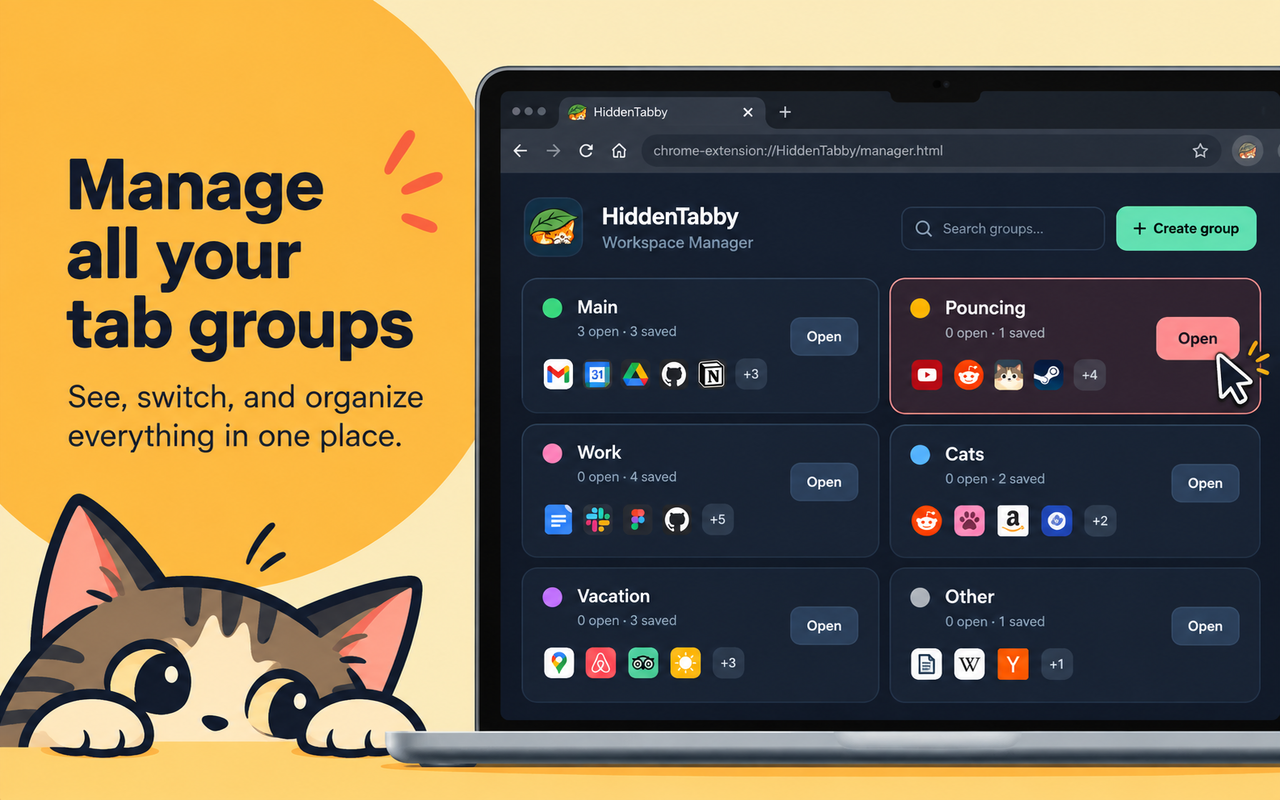
THE WORKSPACE MANAGER
Rename, recolor, reorder, or remove groups from the full-page Workspace Manager.
Switching closes tabs from other groups. A restored page may lose unsaved form data, in-memory state, or running scripts.
02 Your tabs stay yours
HiddenTabby stores workspace information in your current browser profile. It does not sync or upload that data to an external service.
Read the full privacy policyWorkspace names, tab titles, and URLs stay in browser storage on this profile.
HiddenTabby does not read page contents, form entries, or cookies. Pinned and incognito tabs are excluded.
Saved tabs can be reopened when you switch groups. Unsaved page state may not return.